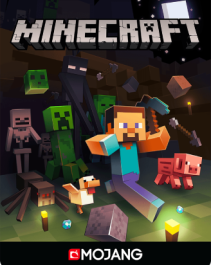
Minecraft Minecoins (EU) – Instant Coins for Marketplace Skins, Worlds & Add-Ons
Works on supported Minecraft platforms • Microsoft account/console region rules apply.
Buy Minecraft Minecoins to unlock Marketplace content—skins, texture packs, worlds and add-ons. Perfect for gifting to Minecraft players in Europe who want instant access to new creations.
What is it?
Minecoins are Minecraft’s in game currency (Minecraft: Bedrock Edition) used to buy content from
the Minecraft Marketplace.
Why buy this product?
• Instant access to new skins, worlds and packs
• A safe gift for Minecraft fans—no need to store a payment card
• Budget control: spend only what you top up
• Great for kids/teens with parental control needs
How to redeem
• Redeem your code on Microsoft’s official redemption page or within your console/store (depending
on code type).
• Sign in to the Microsoft account used on Minecraft.
• After redemption, open Minecraft and check your Minecoin balance in the Marketplace.
What can I use it for?
• Marketplace skins, texture packs, and mash-ups
• Adventure maps and custom worlds
• Add-ons and creator content available in the Marketplace
Validity & expiration
Minecoin codes are typically valid until redeemed. If an expiry date applies to your voucher, it will be shown in your delivery email or on the voucher itself.
How to check balance
• Open Minecraft → Marketplace → view Minecoins total (usually top corner).
• Check transaction history in your store account if needed.
Notes
Ensure the code matches your account/console region. Region mismatch can prevent redemption.
Quick FAQ
Do Minecoins work on Java Edition?
Minecoins are mainly for Bedrock’s Marketplace. Java Edition uses different content systems.
Can I share Minecoins between accounts?
No—Minecoins stay on the account that redeems them.
What if I redeemed but coins don’t show?
Restart Minecraft, sign out/in, and verify the correct Microsoft account is used.
Minecraft platform and store rules vary by device and region. Always redeem on the account used to play.